
Live AI game analysis
Follow AI Signals for Real Wins
AI analyzes game data sends you signals you follow the picks.
How it worksClosed beta opening soon · Limited spots
Free signals when you sign up

How it works
AI finds the games worth playing
Every game on an iGaming platform has an RTP (Return to Player) — for most games it sits around 95%.
AI scans live RTP
VIB AI tracks live RTP data across supported games, around the clock.
Finds games below 95%
It picks out the games whose live RTP has dropped under 95%.
Sends you the signal
You get those games as signals, so you know where to play next.

 SignalFortune Tiger93.8%
 WaitFortune Ox96.4%
 SignalFortune Rabbit94.1%
 WaitMahjong Ways97.2%
New signal · Fortune TigerLive RTP 93.8% — below 95%
Example for illustration only
Why choose VIB AI
-
Real-time analysis
AI reads live game data 24/7 — no guesswork.
-
Instant signals
Get a signal as soon as a game drops below 95% RTP.
-
No app store needed
Add it to your iPhone Home Screen or install it on Android in seconds.
Supported Games
Popular PG Soft titles VIB AI analyzes


Closed beta · Limited spots
VIB AI closed beta is opening soon
We're inviting a limited group of players to try VIB AI before the public launch. Reserve your spot and be the first to get AI signals.
Early access
Get AI signals before everyone else.
Free during beta
Beta testers use VIB AI at no cost.
Shape the product
Your feedback goes straight to our team.
- 1.Leave your email
- 2.Get your beta invite
- 3.Start following AI signals
From sign-up to first deposit
5 simple steps · about 3 minutes
-
Add VIB AI to your Home Screen
Open agentloom.page in Safari.
- Tap the Share button at the bottom of Safari.
- Scroll down and choose Add to Home Screen.
- Tap Add in the top-right corner.
- Go back to your Home Screen — the VIB AI icon is there.
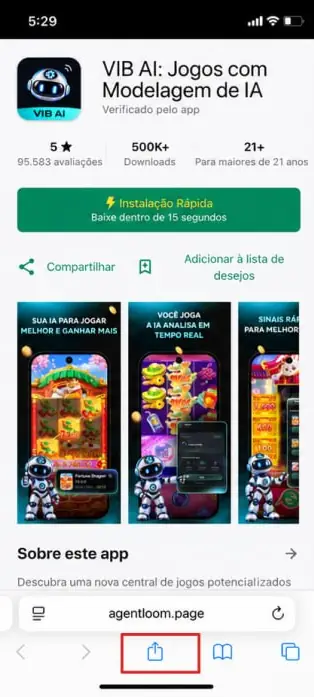
1Tap Share 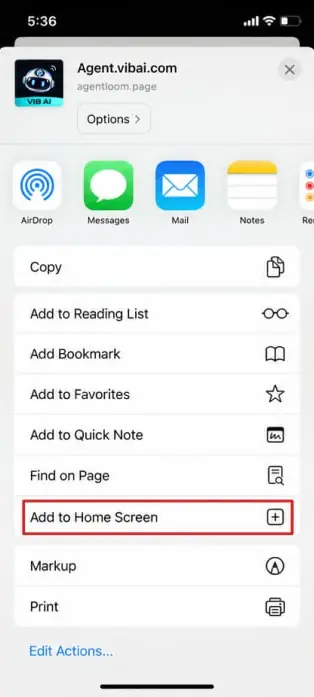
2Add to Home Screen 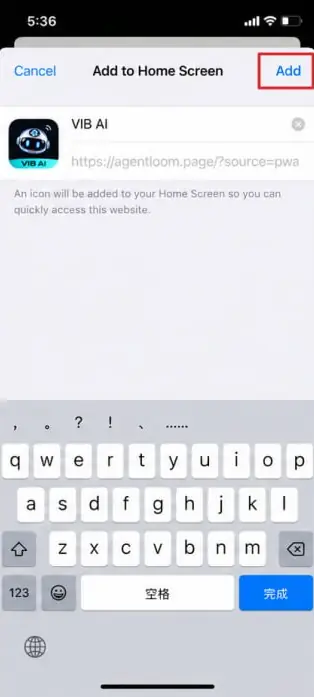
3Tap Add 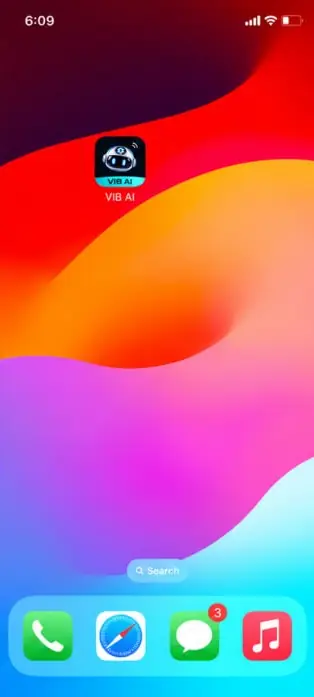
4VIB AI on Home Screen -
Download the VIB AI app
Open agentloom.page in Chrome.
- Tap the green Quick Install button.
- Wait a few seconds for the install to finish.
- Find the VIB AI icon on your Home Screen.
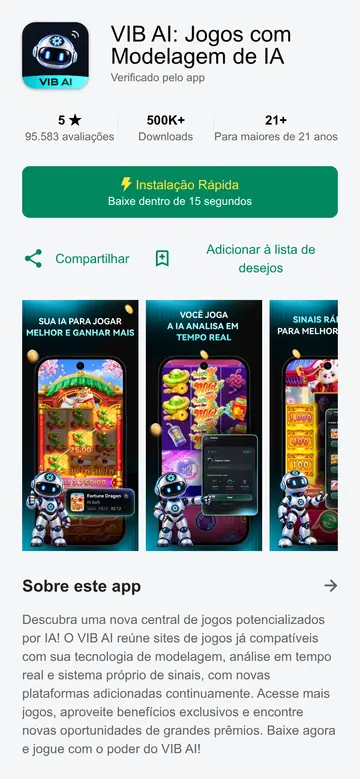
1Tap Quick Install 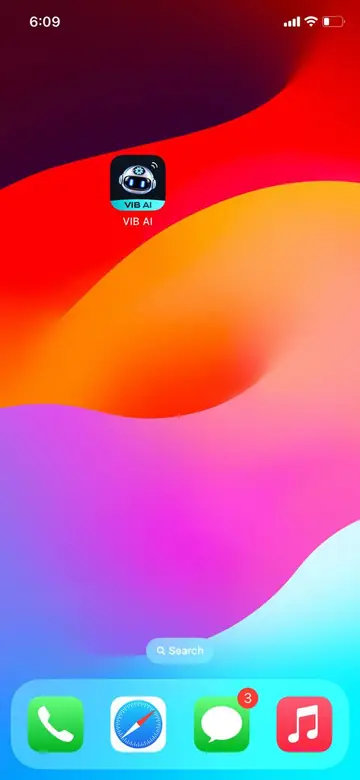
2VIB AI on Home Screen -
Open VIB AI and create your account
Tap the VIB AI icon on your Home Screen.
- First time? Tap Watch Tutorial to see how signals work.
- After the tutorial, tap Try now.
- Choose your country code and enter your mobile number.
- Set a password and enter it again to confirm.
- Have an invitation code? Enter it — otherwise leave it blank.
- Tap Create account.
Keep your phone number and password safe — you'll need them to log in to VIB AI.
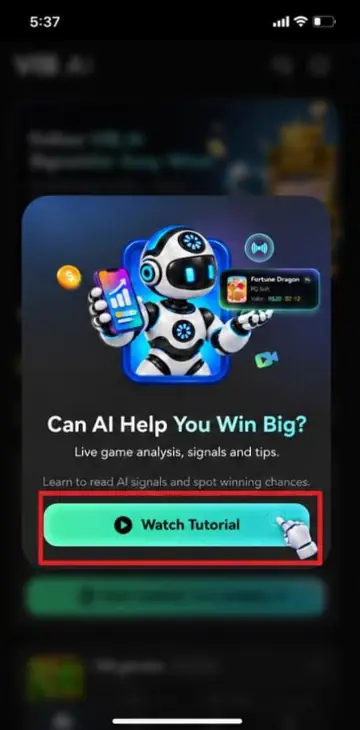
1Watch Tutorial 
2Try now 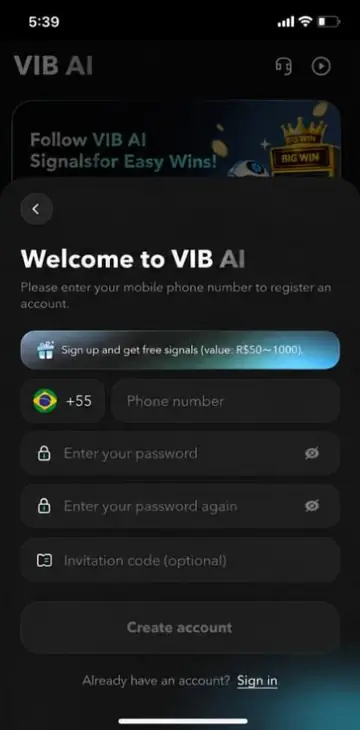
3Create account -
Choose a website to play on
Log in to VIB AI and go to Home.
- Pick a supported website from the list.
- Tap Open website, start playing.
- When you see the third-party notice, tap Enter website.
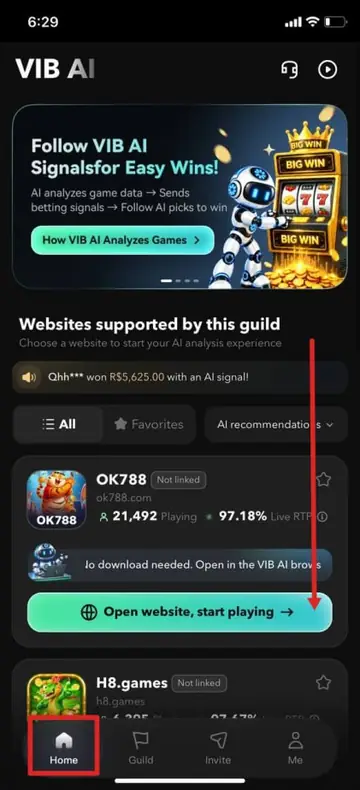
1Pick a website 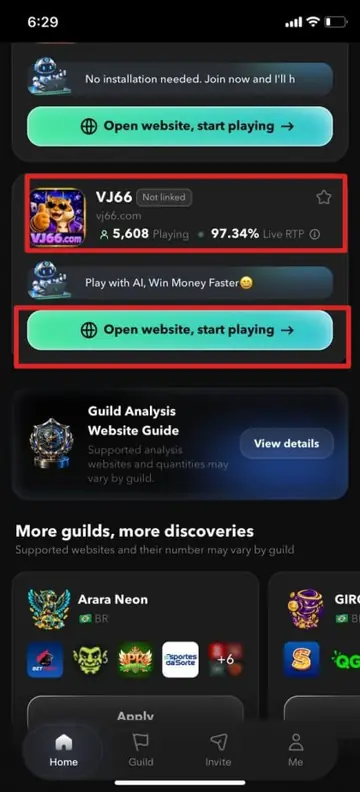
2Open website 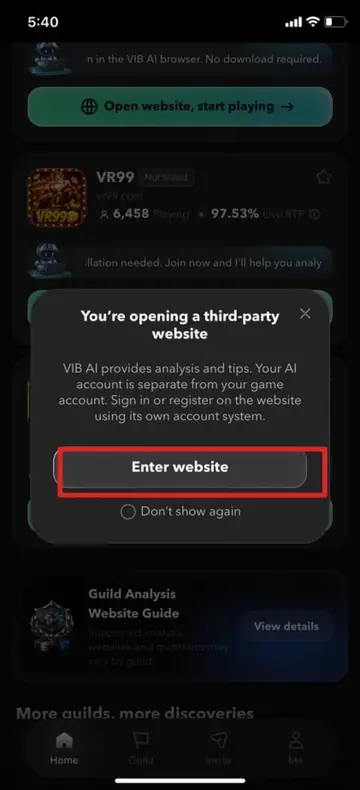
3Enter website -
Sign in to the game website
The website opens inside VIB AI.
- Tap Allow notifications — or close it / tap Skip.
- Tap Sign In when asked to log in.
- Enter the website's phone number and password, then tap Sign in.
Your VIB AI account and the website account are separate. No website account yet? Tap Register on the website — don't use your VIB AI password.
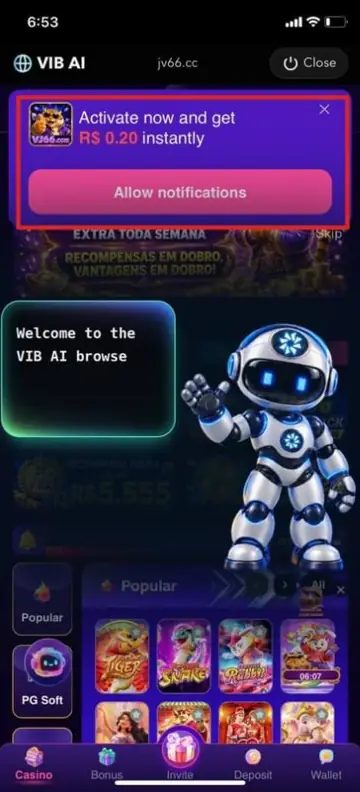
1Allow or Skip 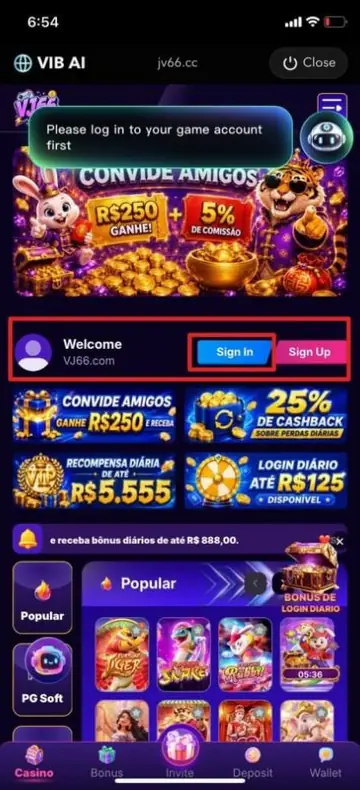
2Tap Sign In 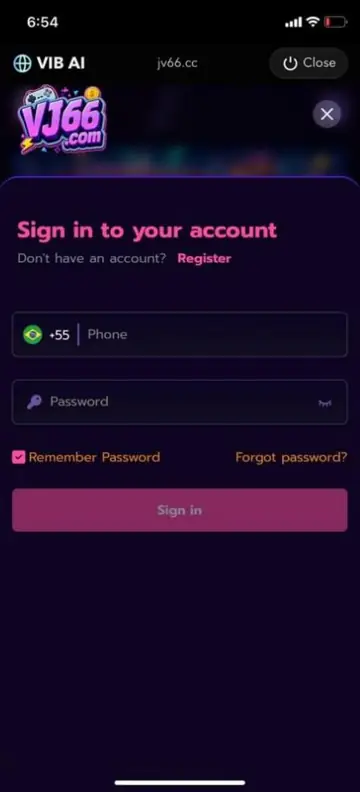
3Sign in -
Deposit and follow AI signals
You're ready to play.
- Open Wallet and tap Deposit to add funds.
- Open a supported game — AI analyzes it in real time.
- Follow the signals VIB AI sends you.
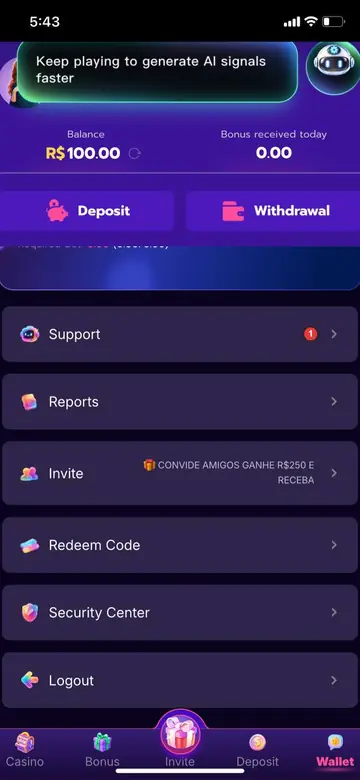
1Wallet → Deposit 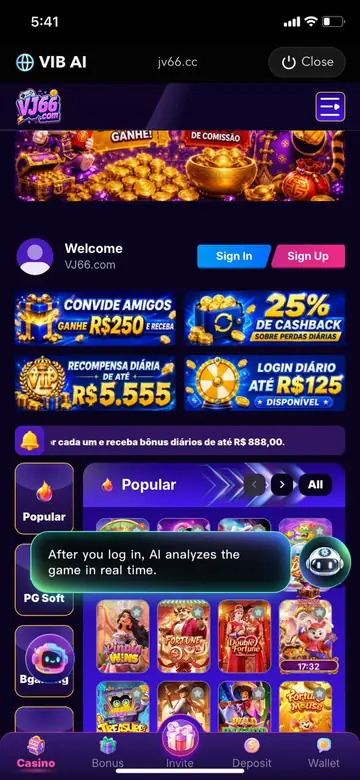
2AI analyzes the game
Start now — let AI make money for you
Beta spots are limited. Leave your email and get your invite first.
Free signals when you sign up. It only takes about 3 minutes.
Register Now